


Google Breakfast Briefing
Friday 21st February was the first in a series of briefings that Google HQ in Dublin have organised to assist Irish businesses to succeed with visibility and online customer conversion. Each year Irish consumers spend €4.6 bn online and a whopping 70% of this money goes out of the country. Six out of 10 of these consumers expressed a preference to buy from Irish sites. Google is set to help Irish businesses become more successful online.
I was fortunate to get a place at this hugely over subscribed briefing and want to share the great learning with you. The purpose of the morning’s session was to look specifically at effectively converting prospects to customers by getting 1) greater visibility and 2) being mobile ready.
1. Greater Visibility

Google introduced a tool for getting visible on Organic search. This is Webmaster Tools. It is a dashboard full of useful information that Google gather from people who arrive at your website through the Google search engine. Improving your website and making it work for your business is based on combining three key data points – Webmaster Tools, Google Analytics and your own business data of sales and customer feedback. Align the information these reports give you with your objectives and look for actionable insights from these reports
To start you will find Webmaster Tools by signing into your Google account. Register Webmaster tools with your website. The instructions for this are easily found in the ‘how to’ section of Google. Ensure that all the people involved in your website are registered as users of Webmasters tools.  You will now see a dashboard of information on Google search traffic for your site over the last 90 days. The number of impressions is the number of people who saw your organic search listing and the number of clicks are the number of people who clicked on your search listing. On the left hand side you will see the funtions of webmaster tools and today we will look at Search Queries and Data highlighter functions.
Search Queries
Under Search Traffic you will find the search queries function. The search queries report gives you information on the keywords your customers use when your website appears on the SERP (Search Engine Result Page). Here you will see a list of words, the number of impressions and CTR’s (Click Through Rates) and the position that your website is listed on the page. Look for important keywords for your business that do not have a good page position and insert these words into the title, headline and body of your website pages.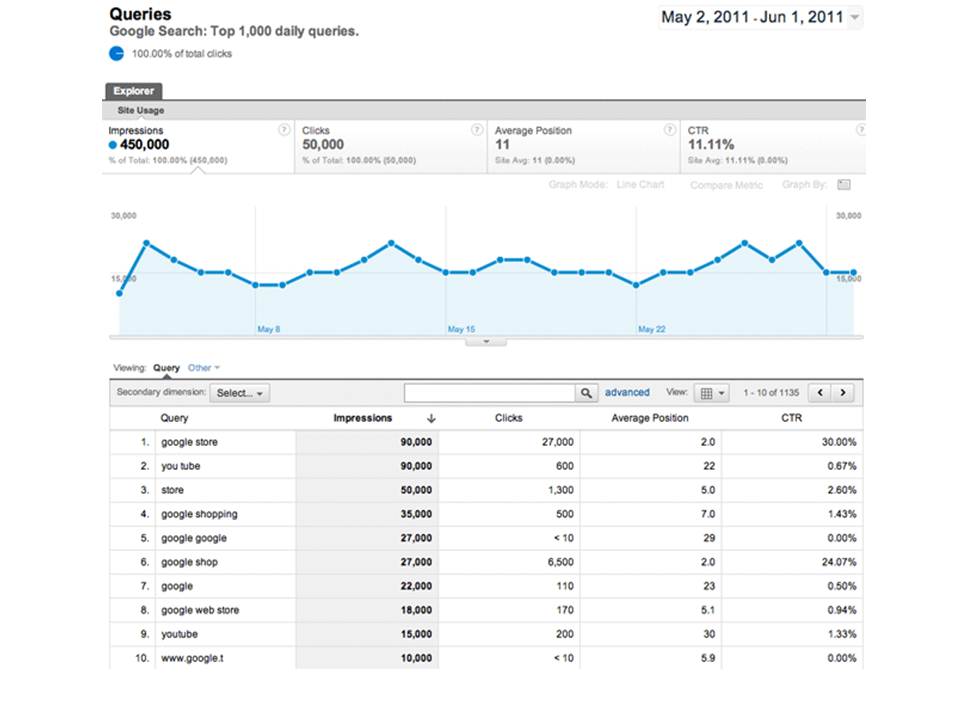 You will notice that the highest performing words relate to your business name. What you want to achieve is to have broader terms. So for example if you are a florist you will want to appear on the result page for the terms, ‘floral bouquet’ or ‘wedding flowers’. On your website look at the keywords you are using on your product pages and expand the headlines, titles and descriptions to include broader terms. Apply these terms to image tags and video uploads also.
Data Highlighter
You will find Data Highlighter by clicking Search Appearance on the left hand side. The Data Highlighter function allows you to select data on your website that will appear on the Search Results page when a relevant search term is entered.
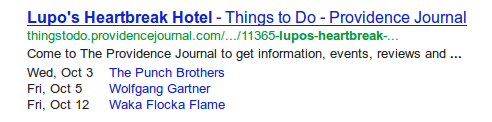 In this example dates and details of an event have been highlighted and appear in the search result. This allows your website to have more relevance and the user can click straight to the page that meets the query. Tagging pages is easy. You can follow the Google Data Highlighter tool tutorial and improve your information showing for your website.
2. Being Mobile Ready
The rise of smartphones now means that your customers are always connected to the internet. 64% of smartphone owners search daily and 44% of those users purchased through their smartphone.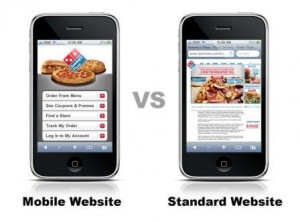 These figures are only going to rise so it is important to have your website easy to navigate and user friendly for mobile. Use the Google Data Page Speed Insights report to guide you in what you need to focus on to make your website mobile user friendly.
 This tool is also useful to get reports on competitive websites and compare these with the performance of your website. Research shows that after three clicks consumers move to another site. Accessible, easily read information is key to mobile websites. Google provide lots of resources for businesses to help. Here are four that will help you through getting your site more visible. 1) Webmaster Forum 2) Regular Hangouts on Air 3) Help Center 4) Webmaster Central Blog
Next month the Breakfast Series will be on User Experience. I’ll be reporting back on this event on my next blog.





 Maeve Nunan